
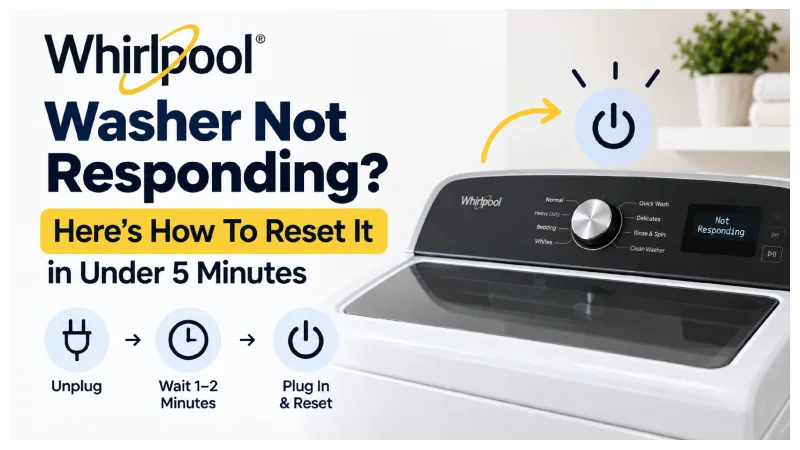
You load the laundry, hit start, and nothing happens. The display freezes, or maybe it goes dark. Before you call a repair shop, try the simple fix first: a reset. Nine times out of ten, that’s all it takes.
Learning how to reset a Whirlpool washing machine isn’t complicated. This guide follows Whirlpool’s own documented reset steps. It also draws on advice from certified technicians who work on these machines every day. The process works across most of the lineup. Cabrio, Duet, WTW, and WFW models all use the same basic logic, even though button layouts shift slightly between generations. Below, you’ll find what actually works, why the machine locks up, and what to try next if a plain reset doesn’t fix it.
Why Does This Even Happen?
Nothing dramatic causes it, usually. Whirlpool moved away from mechanical timers in the early 2000s. Modern washers now run on electronic control boards instead. These boards act like a laptop with too many tabs open — they just need a fresh start sometimes. A brief power blip during a cycle can trigger it. Overloading the drum can, too. Most models max out between 4.3 and 5.2 cubic feet, and going past that trips the internal safety lock without warning. Sometimes months of regular use simply catch up with the software. Other times, the door lock switch or lid sensor stops reading properly, and the cycle stalls out waiting for a signal that never comes.
None of this means your washer is dying. It just means the board wants a clean slate.
The Power Cycle Reset (Try This First)
This method fixes the problem more often than any other. Whirlpool’s own support documentation lists it as the first troubleshooting step for an unresponsive unit.
Start by unplugging the machine. If it’s hardwired, flip the breaker off instead. Then wait a full minute or two — don’t rush this part. The control board’s capacitors need that time to fully discharge. Once that’s done, plug the washer back in or restore the breaker. Tap the Power button once and let the display settle for a few seconds. Run one quick empty cycle afterward to confirm the motor, water valve, and drain pump are all working together properly.
That’s really it. Most frozen panels and random error codes disappear right here.
Method Two: The Manual Button Reset
Still stuck? Try this second option instead. It tends to work better on newer, smart-connected Whirlpool models — generally anything with Wi-Fi and app support from 2018 onward.
Turn the dial to “Off” first. Then press and hold Start/Pause and Power together for about five seconds. Release both buttons once you see the display blink or flicker. That flicker means the board is rebooting. Pick any cycle and hit Start, and the washer should respond normally again. Some Cabrio models label this combination slightly differently, so check near the dial for the closest equivalent if your buttons don’t say “Start/Pause” exactly.
Technicians often recommend this softer reset for washers still under warranty. It skips a full power cut, so it treats the electronics more gently over time.
What About Actual Error Codes?
Sometimes you’re not just dealing with a blank panel — you’re staring at an actual code. F5, LD, and SUD show up most often. Resetting without fixing the underlying cause usually just brings the same code right back within minutes, which gets frustrating fast.
LD or F9E1 almost always points to a drainage problem. Check the hose for kinks, and check the drain filter for clogs, before doing anything else. SUD means too much detergent foam built up, usually from using regular detergent instead of HE. Run a rinse-and-spin cycle to clear it out first. F5 usually just means the door isn’t fully latched, though a worn door strike can cause it too. Close the door firmly, and the code should clear after a reset.
Fix the actual problem first, then reset. Skip that step, and you’ll likely see the same error again tomorrow.
No Power Button on Your Model?
Older Whirlpool washers, especially pre-2015 top-loaders, sometimes skip the dedicated power button entirely. That throws a lot of people off at first. The fix stays basically the same, though. Unplug the machine, or cut power at the breaker, for a couple of minutes. Restore power, turn the dial to any cycle, and hit Start. If it responds normally, you’re done.
A Few Habits That Cut Down on Resets
You can’t avoid every glitch, realistically. But a few habits make them a lot less common. Don’t overload the drum past its rated capacity — this stresses the door lock sensor more than most people expect. Stick to HE detergent only, since regular detergent creates far more foam than these machines can handle. Excess suds cause a huge share of SUD errors. Wipe down the door seal and clean the drain filter about once a month; on most front-load models, you’ll find it behind a small panel near the bottom-front corner. Every so often, check the power cord and outlet for looseness or scorch marks too.
Small habits like these add up fast over a few years of regular use.
When a Reset Isn’t Enough
Sometimes a reset just won’t fix things. If you’ve tried every method here and the washer still won’t respond, the issue might go deeper than software. A failing control board, a broken door lock mechanism, or damaged internal wiring can all mimic a simple freeze from the outside. At that point, stop guessing. Call a certified appliance technician, or contact Whirlpool’s official support directly. They can also confirm whether your unit still qualifies for warranty coverage before you pay for a repair out of pocket.
Frequently Asked Questions
How do I force reset my Whirlpool washing machine?
Unplug it, or flip the breaker off, and wait a minute or two before restoring power. This clears the control board’s memory and gives it a clean restart, which fixes most unresponsive panels.
Why won’t my Whirlpool washer respond to any buttons?
Usually a power surge, a stuck door lock sensor, or a small software freeze causes this. A power cycle reset solves it in most cases without outside help.
Will resetting wipe out my saved settings?
No, it won’t. A standard reset only clears temporary glitches in the board’s short-term memory. Your saved cycles and preferences stay exactly where they were.
How long should I leave it unplugged?
One to two minutes works well. That gives the capacitors enough time to discharge fully, so the board comes back up clean.
The error code came back after I reset it. Now what?
That usually signals a real underlying issue, like a clogged drain line or a failing door lock switch, rather than a one-off glitch. Get a certified technician to take a look instead of resetting repeatedly.